
Your Cart
Loading

HelioMaker Version History and Recently Added Features
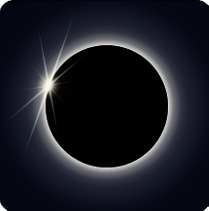
SOLAR ECLIPSE IMAGING

Plan, rehearse, validate, and run automated total, annual and partial solar eclipse imaging sessions, with phase-specific exposures, HDR brackets, guiding, refocusing, pre-flight checks, and live event monitoring.
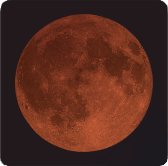
Lunar eclipse imaging

Plan, rehearse, validate, and run automated lunar eclipse imaging sessions, with phase-specific exposures, HDR brackets, guiding, refocusing, pre-flight checks, and live event monitoring.
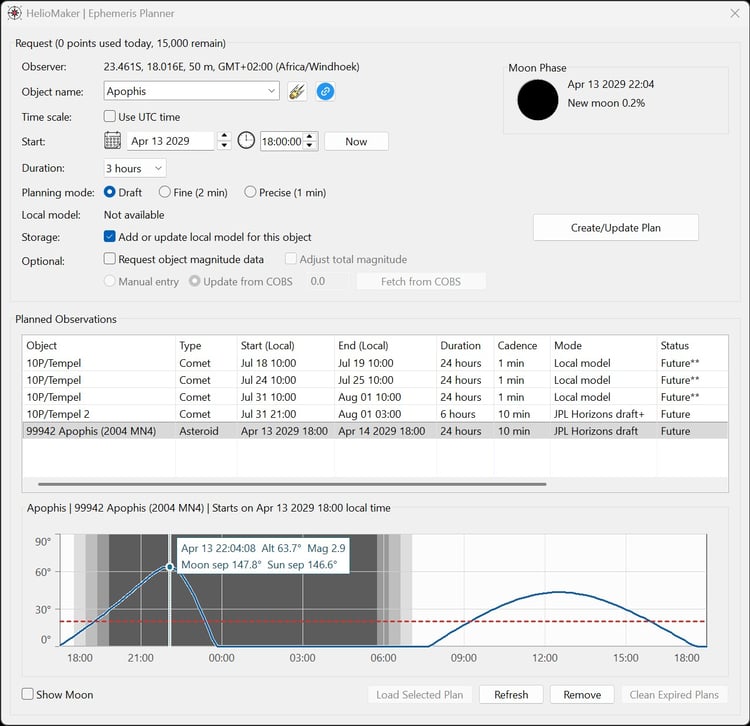
EPHEMERIS PLANNING & GUIDING

Plan observations, slew to, track, and guide on comets, asteroids, planetary moons, and other natural Solar System bodies using JPL Horizons and HelioMaker’s local CSPICE ephemeris engine.
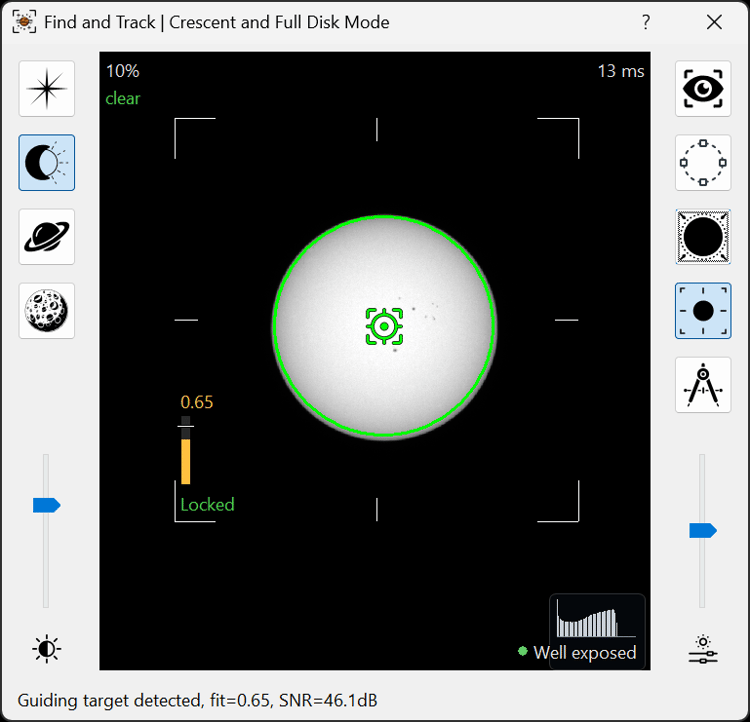
IMPROVED FIND & TRACK

Versatile new tool for detecting and tracking solar system objects, including the Sun, the Moon in all its phases, partial and near-total eclipses, Saturn, Jupiter, other planets, and surface features on the Sun and Moon.
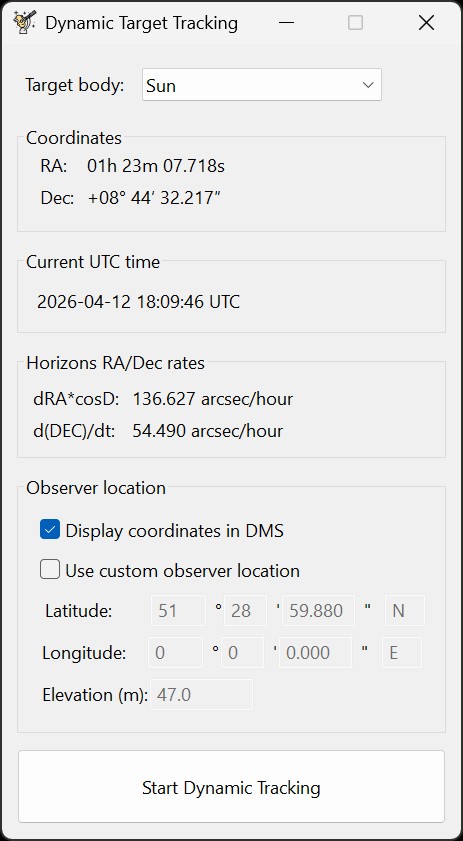
Dynamic Target Tracking

Provides real-time mount tracking updates for the Sun, Moon, and supported planets.
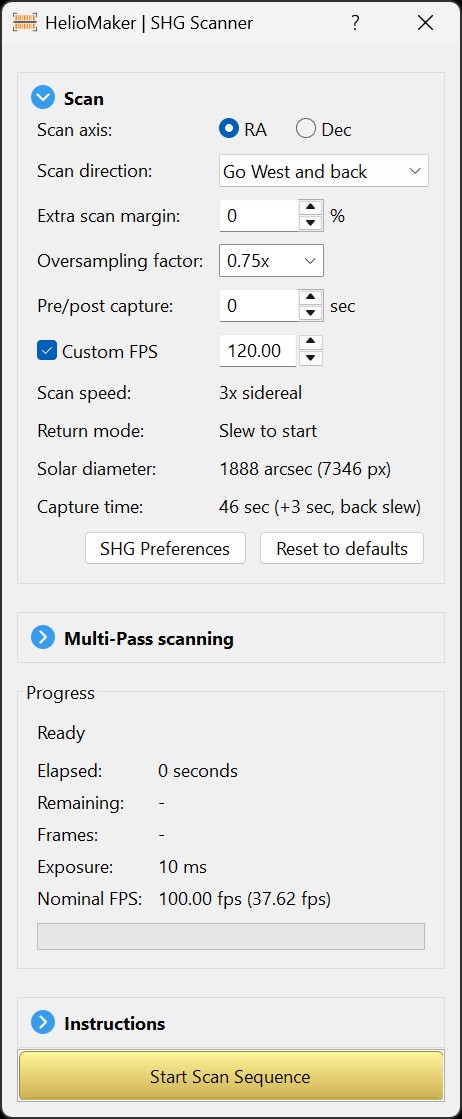
SHG SCANNER

Experimental support for single-pass and multipass spectroheliograph scans in both RA and Dec. HelioMaker adapts the scan method and available parameters to the connected mount’s capabilities.
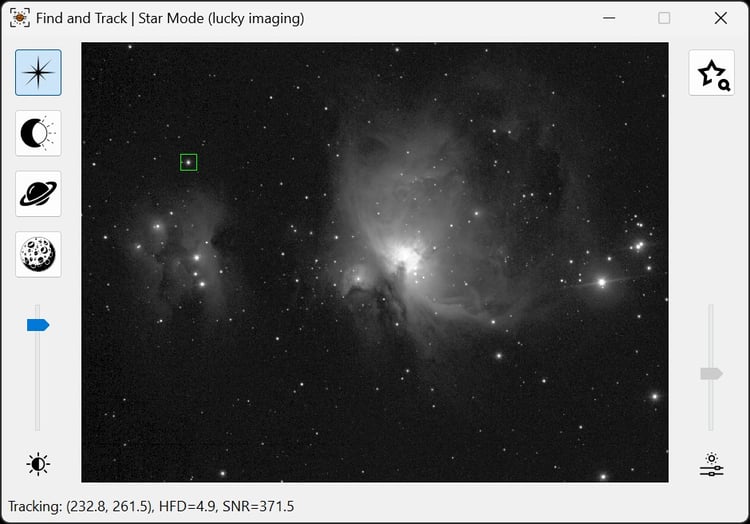
Live Stacking support

Added support for SharpCap Pro’s Live Stack feature, enabling deep sky imaging using a single camera shared between SharpCap (for imaging) and PHD2 (for guiding).
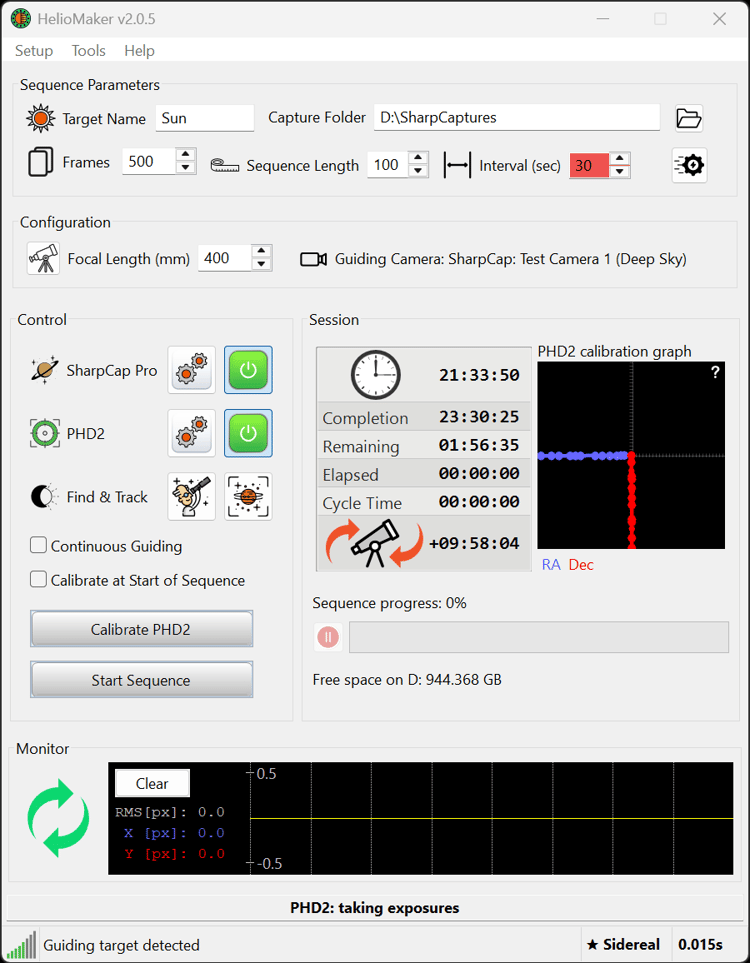
Main screen

Redesigned user interface with crisp graphics and enhanced support for high-DPI displays.

Version 2.0.20

  • Timing summary button in the Solar Eclipse Planner opens the frame-timing summary of a past run. It replaces the Tools menu's Solar eclipse timing summary
  • A new update dialog. One Download and Install click downloads the new version, shows its progress, and then asks to install it. This dialog installs the updates that follow 2.0.20; the update to 2.0.20 itself uses your current version's dialog
  • General bug fixes and reliability improvements


Version 2.0.18

  • Solar and lunar eclipse planning now extends to the end of 2027, with full support for the great total solar eclipse of 2 August 2027
  • Lunar Eclipse Planner tool is now out of early preview, with more reliable capture, guiding, and recovery, plus a new illustrated Lunar Eclipse Guide available from the Help menu
  • Improved cloud and haze monitoring with tracked-target photometry
  • Improved surface feature tracking algorithm
  • HelioMaker Help and the eclipse guides are also available online
  • Requires the custom PHD2 v2.6.14-solar.3.3 or later; v2.6.14-solar.7 or later is recommended
  • Bug fixes and stability improvements


Version 2.0.16

  • The Lunar Eclipse Planner remains an Early Preview (offered for evaluation)
  • Expanded lunar eclipse planning with phase-by-phase exposure and guiding controls, automatic partial and deep-umbra HDR brackets, plan locking, draft/final plans, and file import/export
  • Added real-time lunar eclipse scheduling based on the brightness and altitude at each planned capture, with Live View and Still capture, shared or separate guiding cameras
  • Bug fixes and stability improvements


Version 2.0.14

  • Added the Lunar Eclipse Planner (Early Preview). It searches a site and date window for visible lunar eclipses
  • Bug fixes and stability improvements


Version 2.0.12

  • Eye-safety and solar-filter wording now follows the eclipse type. On an annular or partial eclipse the filter never comes off, so HelioMaker no longer shows filter-removal instructions, countdowns or timeline markings on those plans, and keeps the filter and eye-protection reminders visible for the whole event
  • Annular and partial eclipses are now planned properly in their own right, instead of inheriting behavior designed for totality. Their central phase has its own shot spacing and its own width, a partial eclipse gets a central phase at all, and guiding, focusing, capture mode and the camera benchmark are all available for these eclipses
  • Automatic refocus before the central phase is now available for annular and partial eclipses as well as total ones
  • Dynamic Tracking now shows a live indicator in the main window
  • A live eclipse run cannot be armed more than 12 hours before the eclipse
  • Rehearsals on the eclipse simulator now behave like a real camera, taking each frame at its scheduled moment. The run console no longer pauses at phase boundaries, and rehearsal frame counts are honest
  • Bug fixes and stability improvements


Version 2.0.10

  • Bug fixes and stability improvements
  • Improved the detailed eclipse timing report with a concise guiding summary and a plot of guide deviations from the PHD2 lock position


Version 2.0.8

  • Eclipse capture is considerably more resilient around the critical phases
  • PHD2 recovery now reconnects a disconnected guide camera or mount before trying to resume solar guiding, while eclipse imaging continues independently
  • HelioMaker can now recover automatically from a confirmed SharpCap capture stall: it sounds the critical alarm, restarts SharpCap, restores the eclipse camera settings and resumes the remaining capture window
  • Critical audio alarms now draw attention to an unexpected PHD2 or SharpCap shutdown or connection loss during a live eclipse run. They follow the plan's Audio cues setting, can be previewed from Plan references, and cannot interrupt spoken eclipse safety cues
  • Atmospheric refraction is now a single Apply standard atmospheric refraction setting in Plan preferences. Refraction shifts the contact times, so the setting is saved with the plan and is on by default
  • The solar filter density list now offers ND 5.3, 5.6 and 5.9 for a certified solar filter with extra neutral density stacked behind it. Select the total density of the stack when your rig still overexposes the disk at its shortest usable exposure
  • Updates and unrequested pop-ups are blocked from 12 hours before your eclipse until 12 hours after it, so nothing can restart HelioMaker or change the system clock across eclipse day. The tools you open yourself are unaffected
  • Corrected eclipse run summaries and timing reports.
  • Bug fixes and stability improvements


Version 2.0.6

  • Added a timeline preview to the Solar Eclipse Planner. Play the selected eclipse and watch the simulated view, cursor readout and contact markers sweep the whole timeline, slowing automatically around second and third contact so the diamond ring, Baily's beads and totality are easy to follow
  • The enlarged simulation view now stays open while the preview plays, so the entire eclipse can be watched at the larger size
  • Smoother and sharper eclipse simulation. The Sun and Moon now move fluidly instead of stepping, limb edges are cleaner, and Baily's beads render as tighter, more distinct points
  • The simulation now sets behind a horizon. For an eclipse whose contacts fall below the horizon, the Sun and Moon sink out of sight at zero altitude and the sky goes to twilight, instead of the view continuing to show an eclipse that cannot be seen from your site
  • Fixed the mouse-wheel controls in Find & Track. On some systems they did nothing at all, depending on the Windows "scroll inactive windows" mouse setting. Resizing the search zone and adjusting the size lock now respond wherever the pointer is. The crescent detection actions are also mutually exclusive now, so the intended one is always the one applied
  • Fixed button and icon scaling in the Solar Eclipse Planner on high-DPI displays. The lock, undo and timeline preview buttons no longer appear oversized, and their artwork is sharp and sits correctly inside the button
  • Clearer guidance when opening the Ephemeris Planner or Solar Eclipse Planner without an observer location, explaining how the site is read from the mount


Version 2.0.5

  • Added the new Solar Eclipse Planner and Imaging Tool, the centerpiece of HelioMaker 2.0. It provides site-specific eclipse planning, detailed contact and phase timing, draft and final imaging plans, simulation and rehearsal, comprehensive pre-flight checks, and automated SharpCap capture through the partial phases, thin crescents, diamond rings and totality
  • Eclipse imaging includes coordinated camera-mode and exposure changes, PHD2 guiding and recovery, planned refocusing, solar-filter and spoken cues, live phase and capture telemetry, shutter-sound feedback, storage protection, and safeguards for resuming or restarting a session
  • Added the new Ephemeris Planner for finding and preparing observing windows using JPL Horizons and locally cached ephemeris data, with altitude plots, observer-local time handling, lunar phase and magnitude information, target history, and safety-checked mount slewing
  • Extended Dynamic Target Tracking and guiding to comets, asteroids, minor solar-system bodies and natural satellites, including support for custom mount rates and PHD2 lock-position shifting where appropriate
  • Added the SHG Scanner for automated solar spectroheliograph scans in right ascension or declination, with SharpCap capture control, guiding coordination, mount-return handling and movement safety checks
  • Added automatic SharpCap refocusing, sequence pause and resume coordination, and guiding recovery after refocusing or other planned interruptions
  • Significantly improved Full Disk/Crescent and Surface detection, reacquisition and stability reporting. HelioMaker detection is now available consistently with supported physical PHD2 guide cameras as well as shared-camera configurations
  • Added a focal-length calculator and a focal-length estimator based on measured Sun or Moon size, together with new UTC time-checking and synchronization tools
  • Modernized dialogs, status indicators, collapsible panels, artwork and high-DPI presentation, while reducing user-interface flicker and improving responsiveness
  • Improved license renewal and activation management, encrypted locally stored license data, expanded expiry reporting, and refined license-management dialogs
  • Numerous improvements to stability, detection algorithms, mount and PHD2 control, SharpCap communication, shutdown handling, error recovery and diagnostic reporting


Version 1.6.0

  • Added License Management PIN protection for HelioMaker license activations, providing an extra security layer beyond the license key and email address
  • Updated the License Activations Manager user interface with dedicated Activate and Deactivate buttons and improved activation status presentation for the current machine
  • Improved overall user interface responsiveness
  • Menu item descriptions now display correctly in the bottom status line while navigating the Setup and Help menus
  • Added an Exit command to the Setup menu and improved protection against inadvertent program closure
  • Added F1 and context help shortcuts to the Dynamic Tracking and Find & Track dialogs
  • Bug fixes and stability improvements
  • Special notice for all users: Support for the legacy license activation management interface used by older HelioMaker versions is scheduled to end on August 1, 2026. After this date, older versions of HelioMaker may no longer be able to retrieve and manage existing license activations. This change does not affect the validity of your existing license activations themselves - it only affects the legacy activation management function in older versions. To continue using License Activations Manager, please update to version 1.6.0 or later and set up a License Management PIN.
  • The license terms and EULA statements have also been updated in this release, so please read them carefully. Installing this update constitutes agreement to the applicable license terms.


Version 1.5.0

  • Added Dynamic Target Tracking for real-time tracking rate updates of the Sun, Moon, and supported planets (depends on mount support of custom tracking rates).
  • Improved lunar and solar imaging workflows, including daytime polar alignment and PHD2 calibration
  • Added delayed sequence start for improved session scheduling
  • Added an Advanced Setup option to define each capture cycle by time limit in seconds instead of frame count
  • Improved tracking-rate status indication and updated the built-in help documentation and workflow recommendations


Version 1.4.4

  • Fixed Lucky Imaging (Live Stack) mode
  • Bug fixes and stability improvements
  • Updated the bundled Microsoft Visual C++ Redistributable to version 14.50.35719.0
  • Enhanced license security and updated server infrastructure
  • Improved update reliability in some cases where antivirus software could interfere with automatic updates. Also enhanced the visual appearance of the installer process with a new background image


Version 1.4.2

  • Fixed default capture folder path
  • Create capture folder if it doesn't exist
  • Added ST-4 guiding support with Virtual Planetary Camera (experimental, requires PHD2 v2.6.13dev8-solar.2).
  • Resolved an issue where SharpCap overlays appeared in frames delivered to HelioMaker; HelioMaker now receives calibrated images only. Requires SharpCap v4.1.13651.0 or later
  • Updated bundled Microsoft Visual C++ Redistributable to the latest version 14.50.35710.0


Version 1.4.1

  • Fixed an issue that could deactivate licenses during a cloud infrastructure disruption: if your license resets, re-activate using existing credentials
  • Bug fixes and stability improvements


Version 1.4.0

  • Extended code signing certificate validity by three years
  • Set the default installation folder to "Program Files" instead of the legacy "Program Files (x86)" path
  • Bug fixes and stability improvements


Version 1.3.9

  • Automatically update the PHD2 lock position to the center of the detected object when detection settings change in Find & Track (Full Disk/Crescent and Planetary modes)
  • Disable automatic diameter detection and camera buttons in Find & Track when PHD2 is stopped
  • For best results, update PHD2 to v2.6.13dev7-solar.rc5


Version 1.3.7

  • Updated and corrected PHD2 calibration help


Version 1.3.6

  • Added display of remaining free disk space
  • Added display of completed cycles during a sequence
  • Increased timeout for retrieving the list of PHD2 profiles
  • Added an error message if no mount is selected in the PHD2 profile
  • Updated help documentation for daytime polar alignment


Version 1.3.5

  • Added support for MONO12 camera format
  • Includes Microsoft Visual C++ Redistributable v14.44.35211.0
  • Bug fixes and stability improvements


Version 1.3.3

  • Updated help documentation for daytime polar alignment
  • Bug fixes and stability improvements


Version 1.3.1

  • Improved handling of guiding pauses in PHD2 (requires PHD2 v2.6.13dev7-solar.3 or later)


Version 1.3.0

  • Improved reliability of surface feature tracking
  • Added surface tracking configuration option in Advanced Settings for finer control
  • Refined guiding lock position handling in the user interface
  • Minor bug fixes and stability improvements


Version 1.2.5

  • Maintenance release addressing launch failure if the required Microsoft Visual C++ Redistributable is missing.


Version 1.2.4

  • Transition to 64-bit architecture for higher performance.
  • New Find & Track tool, designed to detect and track most solar system bodies (satellites not included).
  • Support for Live Stacking (lucky imaging) for deep space imaging without the need for a dedicated guiding camera and guidescope.
  • Improved graphics and user interface.
  • Automatic daily version check at startup and manual check for updates.
  • Stability and performance improvements.


Version 1.0.8

  • Initial public release.