Guiding on solar surface
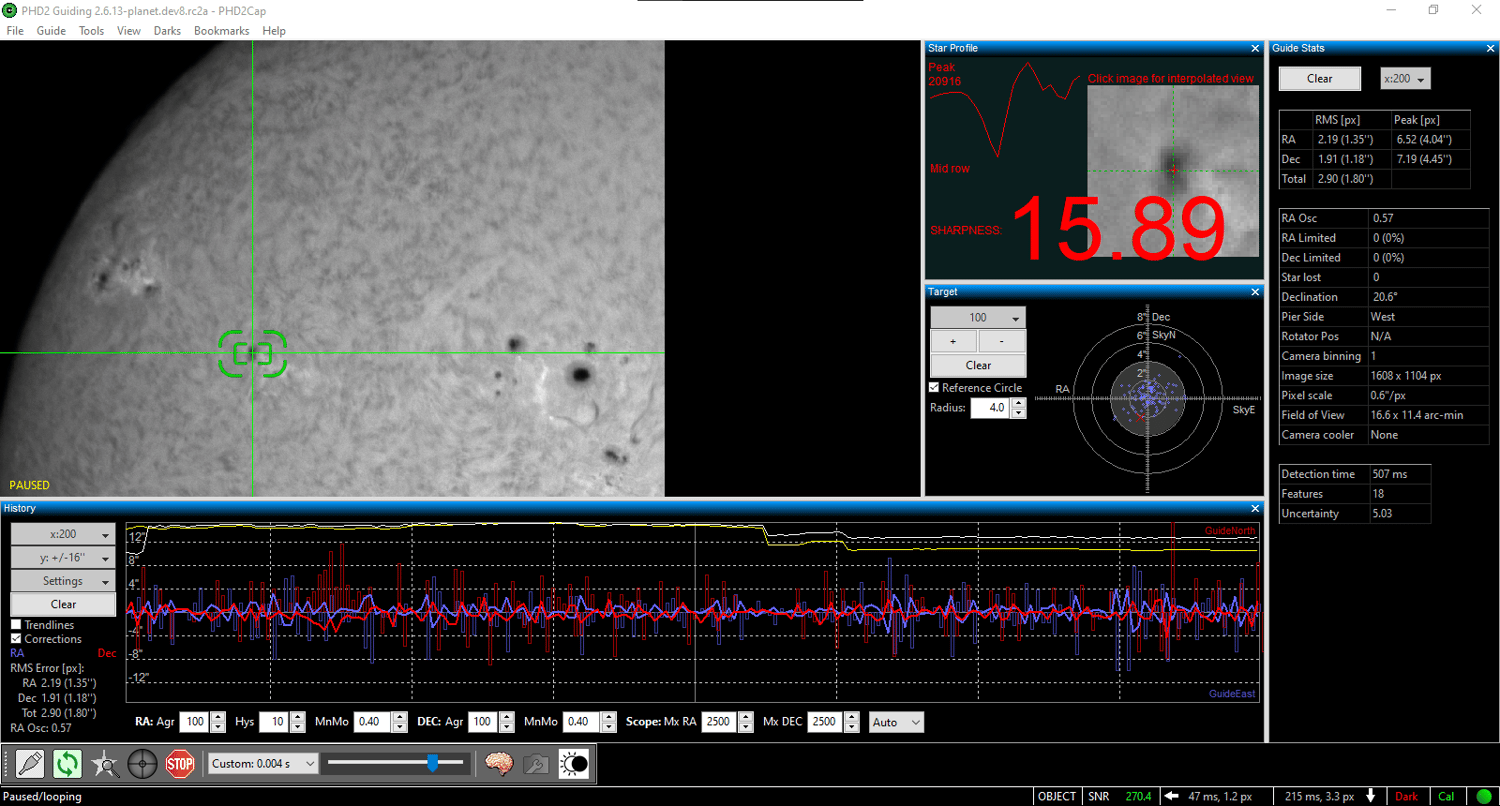
A screenshot of the custom PHD2 guiding on the Sun, captured using HelioMaker and SharpCap Pro. Equipment used: APM 107/700 refractor equipped with an ERF filter and a DayStar Quark Chromosphere filter.

A screenshot of the custom PHD2 guiding on the Sun, captured using HelioMaker and SharpCap Pro. Equipment used: APM 107/700 refractor equipped with an ERF filter and a DayStar Quark Chromosphere filter.
PHD2 is a widely-used autoguiding software, originally developed for long-exposure astrophotography. It compensates for tracking errors by sending periodic guiding pulses to the telescope based on star positions, using a dedicated guidescope, or an off-axis guider with a separate guiding camera. The main objective is to prevent target drift and ensure sharp, long-exposure images.
The author of HelioMaker has developed a custom version of PHD2 to extend its capabilities to guide on solar system objects such as the Sun, Moon, and planets. This version retains the standard PHD2's robust guiding algorithms while introducing advanced methods for detecting and tracking non-stellar objects. When combined with HelioMaker and SharpCap Pro, it enables the simultaneous use of a single physical camera for both guiding and imaging, a groundbreaking feature made possible by the Virtual Planetary Camera.
The custom PHD2 open-source project, including its documentation and helpful resources, is hosted on GitHub. You can explore the project and its accompanying Wiki pages for additional information. The latest release of the custom PHD2 incorporates the recent features and bug fixes from PHD2 Version v2.6.14.
The latest binary release of the custom version PHD2 required for HelioMaker is available on this GitHub page. Navigate to the assets section and download the Windows installer. The custom PHD2 open-source project can be found on the GitHub alongside its Wiki pages.
Community demonstrations highlight the effectiveness of the customized PHD2:
Brent Ellis showcased a solar eclipse imaging setup for the Memphis Astronomical Society, describing this custom PHD2 version as a “game-changer.” You can watch his discussion of the software at this link, and learn about his automation techniques at this link. You may also view Brent’s resulting Eclipse Video.
Lunar Libration and Shadows: 3-hour time-lapse created by the HelioMaker author demonstrates lunar libration and shifting shadows using the custom PHD2 version.
The custom PHD2 version introduces several advanced features not available in the standard release. These enhancements are especially beneficial for capturing a wide range of solar system phenomena, such as sunspot evolution, all regular lunar phases, lunar libration, planetary rotations, and nearly all phases of solar and lunar eclipses (except for brief moments of totality). The custom version also enables detection and guiding on entire solar, lunar, or planetary disks, as well as partial views of their surfaces. Even with imperfect polar alignment, it eliminates drift during extended imaging sessions, ensuring the target remains stable and in the same position for long-duration captures.
Another significant advantage of the added algorithms is their robustness. Based on feedback from beta testers, the algorithms can reliably continue detection and tracking even under challenging conditions, such as partial cloud cover or interference from tree branches, ensuring consistent performance in less-than-ideal environments.
Whether these features will become part of the standard PHD2 depends on collaboration with its development team. Until then, HelioMaker requires this custom version, which can be installed alongside the standard PHD2 in a separate directory for independent use and assigning different PHD2 instance numbers for both.
By following these suggestions, you can take advantage of all HelioMaker’s advanced features without affecting your existing PHD2 installation or nighttime guiding workflows.
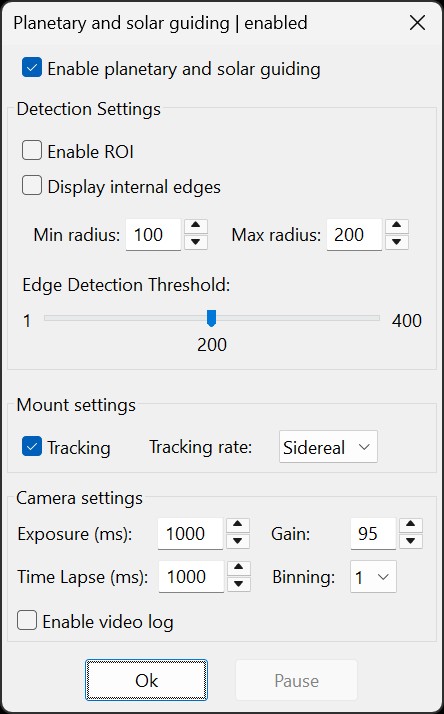
Planetary and Solar Guiding Tool - displaying controls of the Full Planetary Disk detection.